
Kia Niro: Rear Axle Assembly / Rear Hub - Carrier / Repair procedures
| Removal |
| 1. |
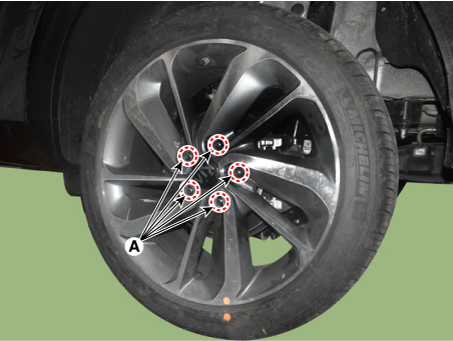
Remove the tire (A).
|

| 2. |
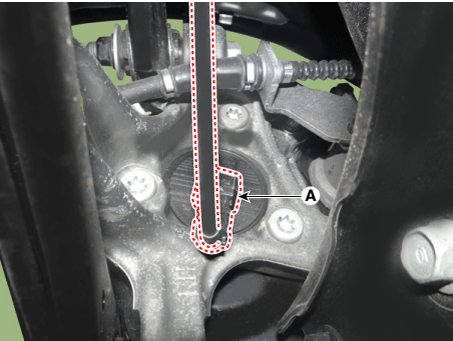
Disconnect the wheel speed sensor connector (A).
|
| 3. |
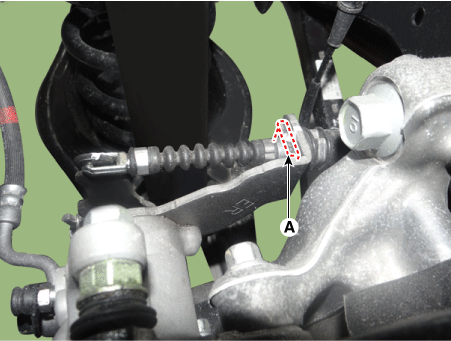
Remove the parking brake calbe pin (A).
|
| 4. |
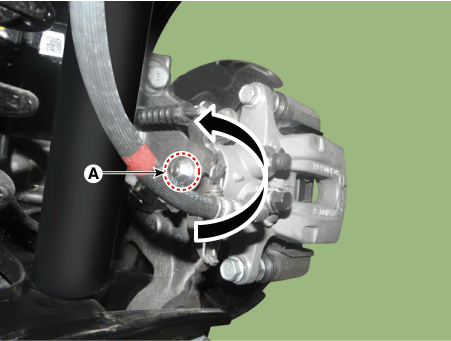
Rotates the nut (A) in the counterclockwise direction and then remove the parking cable.
|
| 5. |
Remove the rear brake caliper. (Refer to Brake System - "Rear Disc Brake") |
| 6. |
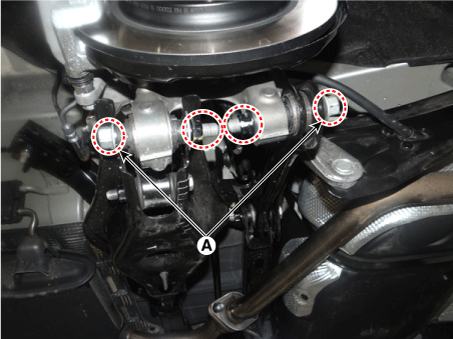
Remove the rear lower arm and assist arm bolt (A).
|
| 7. |
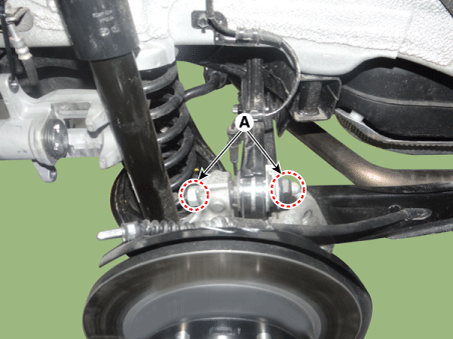
Remove the rear upper arm bolt (A).
|
| 8. |
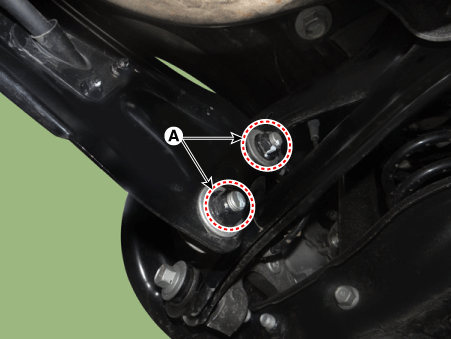
Remove the trailing arm nuts (A).
|
| 9. |
Remove the rear axle. |
| 10. |
Check the wheel alignment. (Refer to Suspension System - "Alignment") |
| Disassembly |
| 1. |
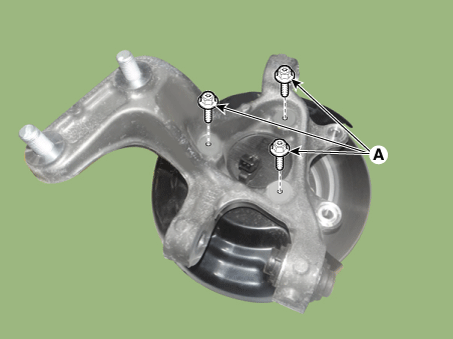
Remove the hub bolts (A).
|
| 2. |
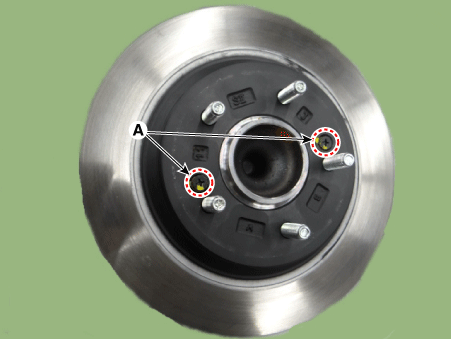
Remove the rear disc screw (A).
|
| 3. |
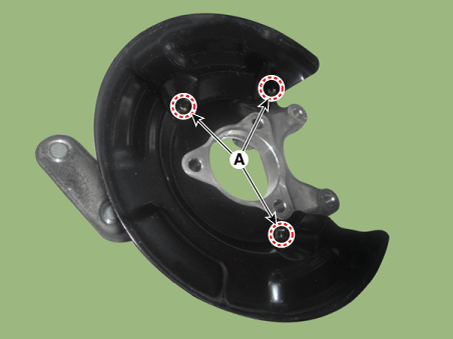
Remove the dust cover bolts (A).
|
| Inspection |
| 1. |
Check the hub for cracks and the splines for wear. |
| 2. |
Check the rear axle carrier for cracks. |
 Components and components location
Components
1. Disc
2. Dust cover
3. Rear hub
4. Rear Knuckle
...

Other information:
Kia Niro (DE HEV) Owners Manual: Interior overview
1. Inside door handle
2. Power window switch
3. Central door lock switch
4. Power window lock button
5. Outside rearview mirror control
6. Outside rearview mirror folding
7. Headlight leveling device
8. Instrument panel illumination control
9. BSD On/Off button
10. LKAS On/Off button
11. ...
Kia Niro (DE HEV) Owners Manual: Vehicle recognition
Some vehicles ahead in your lane cannot be recognized by the sensor as follows:
- Narrow vehicles such as motorcycles or bicycles
- Vehicles offset to one side
- Slow-moving vehicles or suddendecelerating vehicles
- Stopped vehicles
- Vehicles with small rear profile such as trailers with no ...
